

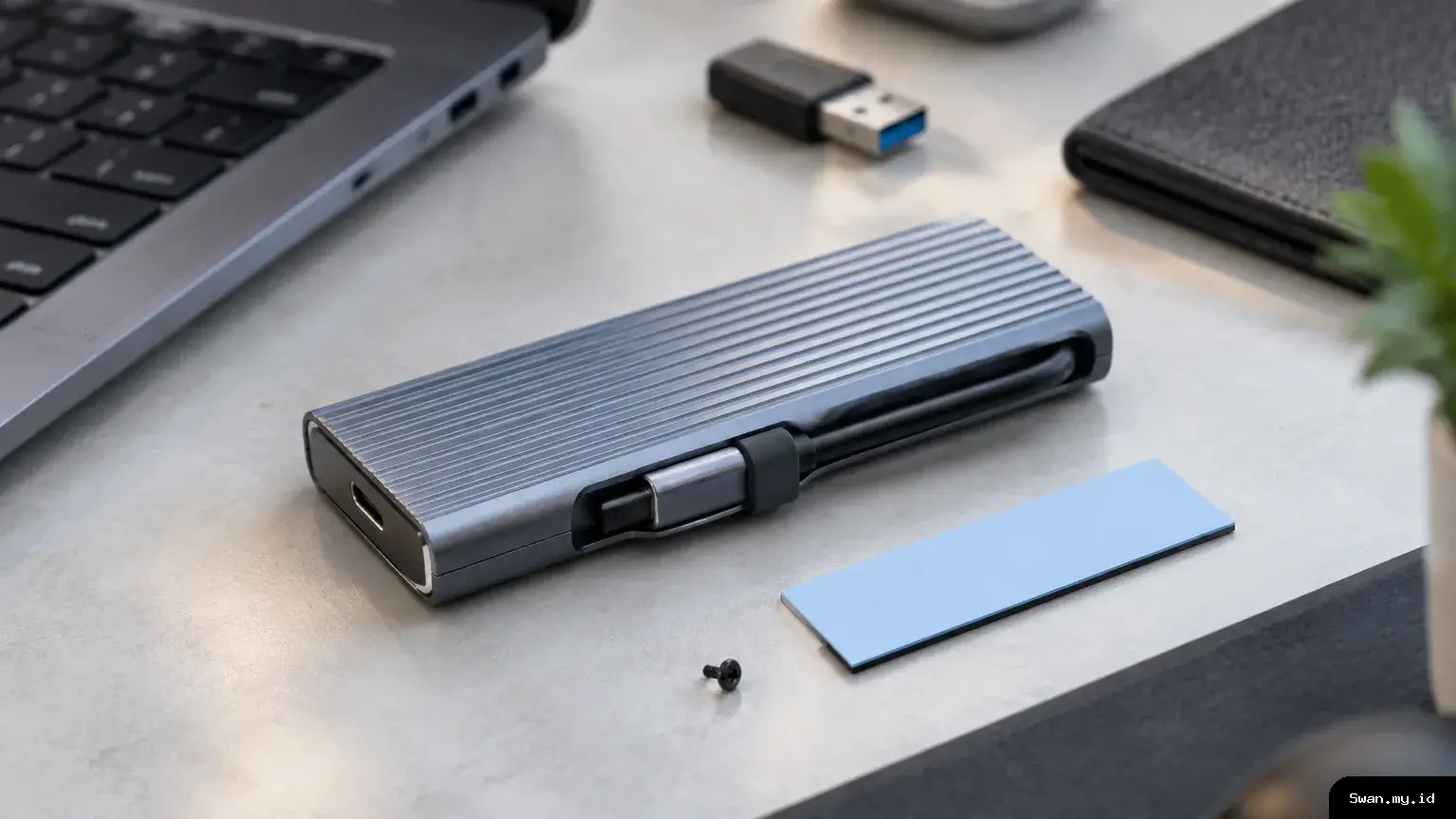
Swan.my.id - Ugreen’s NVMe SSD enclosure range gives users two ways to turn an internal M.2 drive into portable storage. Both versions support SSDs up to 8TB, while their advertised interface speeds reach 10Gbps or 20Gbps. The faster option, however, only makes sense when a computer has the right USB port.
Each enclosure also has a built-in USB-C cable, so users do not need to pack a separate lead. The design may suit people who move large files between computers, but compatibility and actual transfer speeds depend on the rest of the setup.
Ugreen NVMe SSD enclosures put portability first
The attached USB-C cable measures 7.9 inches, or about 20 centimeters. When it is not in use, users can tuck it into a groove along the enclosure’s side. A clip helps keep the cable neatly in place, reducing the chance of it dangling or getting in the way during storage.
This approach removes one small but common inconvenience: forgetting the cable needed to connect an external drive. It also means users should check that the built-in lead can reach comfortably from the computer’s port to wherever they plan to place the enclosure.
Ugreen uses an aluminum exterior to help dissipate heat during data transfers. A thermal pad is included to support heat management inside the case. The enclosure also has an LED indicator that shows when the device is active.
For computers without USB-C, Ugreen includes a USB-C-to-USB-A adapter. That can make the enclosure usable with older computers, provided the computer and connection support the drive. The adapter does not remove the speed limits of the computer’s port.
Drive capacity and installation details
Both versions support M.2 NVMe SSDs with PCIe connections and capacities of up to 8TB. Supported drive lengths include 2230, 2242, 2260, and 2280, covering several common M.2 formats. The enclosure accepts compatible M-Key and B+M Key drives.
Users secure the SSD with an included screw, helping hold it in position when carrying or moving the enclosure. Before buying, check the drive’s interface and physical size. An M.2 drive is not automatically compatible just because it fits the same general shape; these enclosures are designed for supported NVMe drives.
Ugreen describes the enclosure as plug-and-play, with no additional driver installation required on Windows, macOS, or Linux. Support for TRIM and SMART adds useful drive-management features. TRIM helps an operating system manage an SSD, while SMART can report information about drive condition and health.
The enclosure can also enter sleep mode after 15 minutes without use. This may be useful when it remains connected to a computer between transfers. As with other power-management features, its behavior can depend on the connected system and how that system handles external storage.
10Gbps and 20Gbps are not interchangeable
The less expensive model uses USB 3.2 Gen 2, with a maximum theoretical interface speed of 10Gbps. The higher-tier version uses USB 3.2 Gen 2×2 and lists a maximum of 20Gbps. These figures describe the interface ceiling, not a guaranteed speed for every file transfer.
To use the faster version at up to 20Gbps, a computer needs a port that specifically supports USB 3.2 Gen 2×2. A USB-C connector alone does not confirm that capability. The type of port matters as much as its physical shape.
Thunderbolt 3 and Thunderbolt 4 ports do not support USB 3.2 Gen 2×2, even though they also use USB-C connectors. When connected through either of those Thunderbolt standards, the 20Gbps enclosure is limited to 10Gbps. As a result, owners of some MacBooks and Windows laptops may not gain speed by paying extra for that model.
Actual transfer performance also depends on the SSD, the computer’s port, any adapter in the connection, and the workload. Moving many small files, for example, may not match the interface’s maximum figure. Treat 10Gbps and 20Gbps as stated limits rather than promises of sustained real-world performance.
Price and choosing the right version
Ugreen prices the 10Gbps model at US$27.99, with a US$24.99 price for Amazon Prime customers. The 20Gbps version costs US$39.99, or US$34.99 for Prime members. Those listed prices make the faster enclosure US$12 more at standard pricing.
That additional cost may be worthwhile for someone with a USB 3.2 Gen 2×2 port and a compatible SSD. However, users whose computers top out at 10Gbps may find the less expensive model a more practical fit. Checking the computer’s specifications before ordering can help avoid paying for a speed the connection cannot deliver.
For either model, the main appeal is a compact way to reuse a supported NVMe drive as external storage, with capacity support up to 8TB. The integrated cable, aluminum housing, thermal pad, and broad operating-system support add convenience. Ultimately, the best choice depends on the SSD format, available ports, and whether the computer can use the higher-speed USB standard.
